When studying feels overwhelming, start with one small step.
Bring your PDF chapters and lecture slides into one calm notebook. TextbookOS helps you organize what matters, understand what's confusing, and revise with more confidence—always telling you where every answer came from, and never pretending to know what it doesn't.
Studying is hard enough. Your study app shouldn't make it harder.
Google sign-in · Install like an app · Works offline
Build a notebook you can truly rely on.
Start with what you're already studying. TextbookOS helps organize it, but you're always the one who decides what belongs in your notebook.
-
Bring what you're already studying.
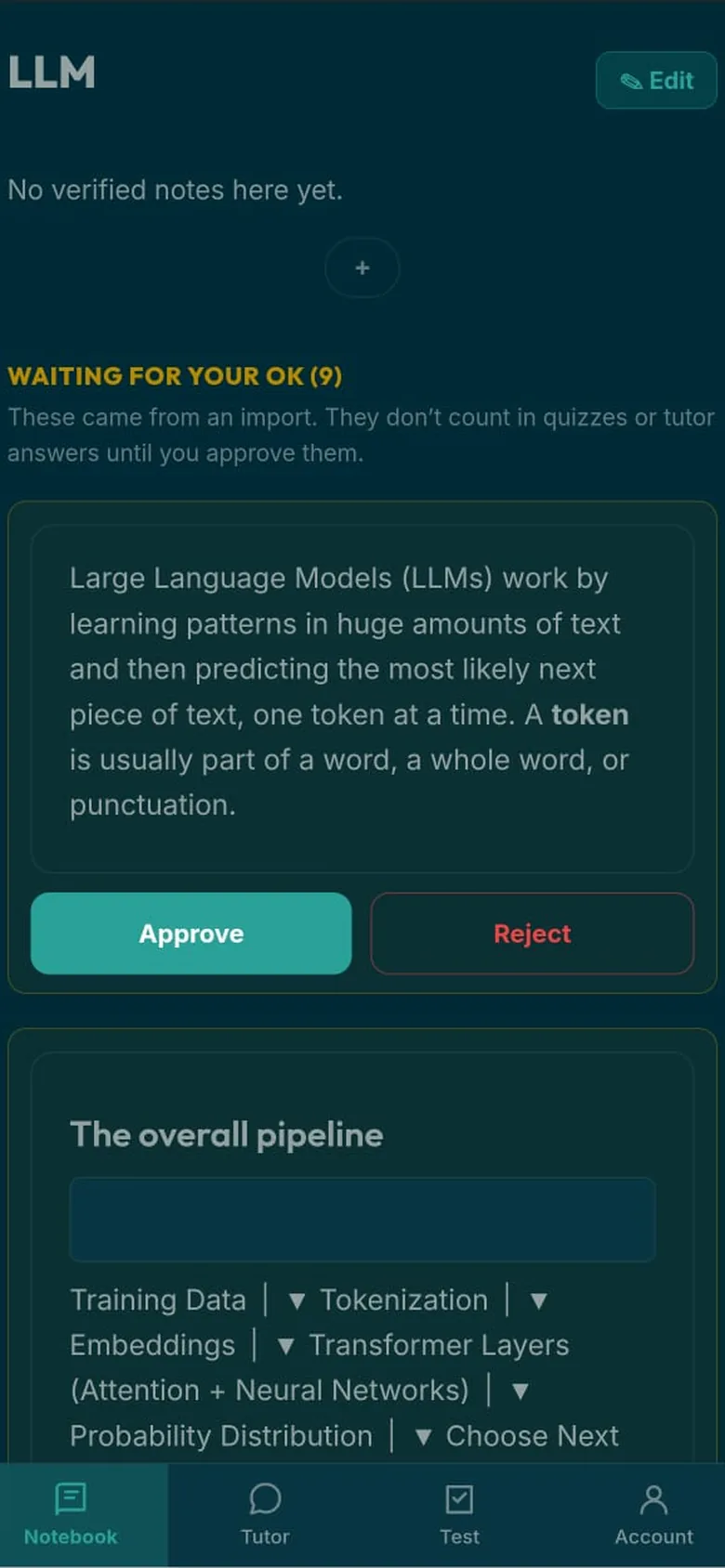
Two ways in — and either way, what arrives is a draft, never a finished note.
A PDF chapter or lecture slides
TextbookOS reads it and pulls out the key concepts, definitions and important ideas.
An answer from ChatGPT
When an explanation finally makes sense, save it — along with the question that produced it — using our Chrome extension.
On a computer -
You're always the final say.
Every draft — from a chapter or from a chat — waits in your Review Queue. Keep it, improve it, or reject it. Nothing becomes part of your notebook until you approve it.
-
Study from what you've chosen to trust.
Once you've approved a note, it becomes part of your notebook. Your self-assessment quizzes use only those verified notes, and whenever you ask the tutor a question, it always tells you whether its answer came from your notes, general knowledge, or app help.
The more you build your notebook, the more personal—and more trustworthy—your study companion becomes.
Everything you're studying, in one calm place.
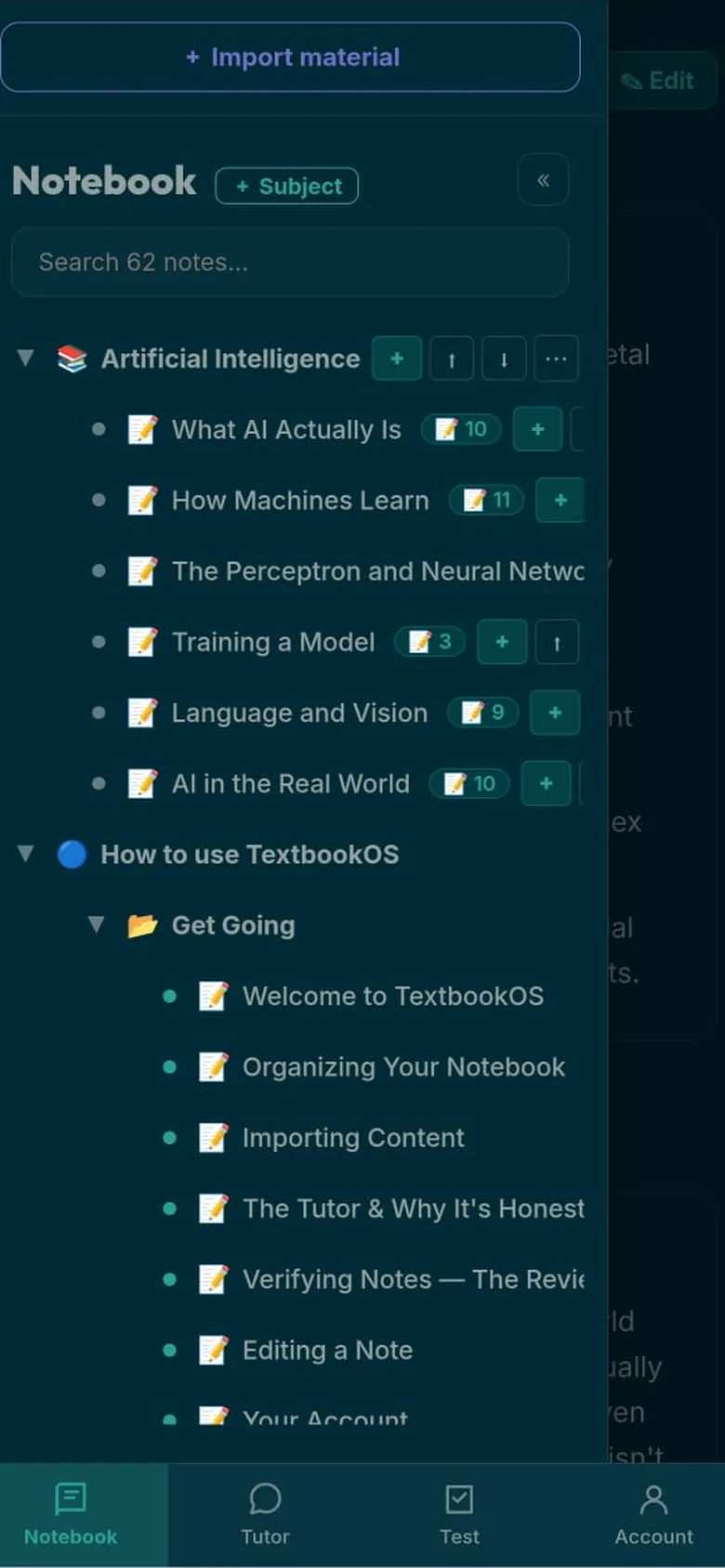
No more jumping between PDFs, lecture slides, screenshots and scattered notes. Everything you've chosen to keep lives together, ready whenever you need it.
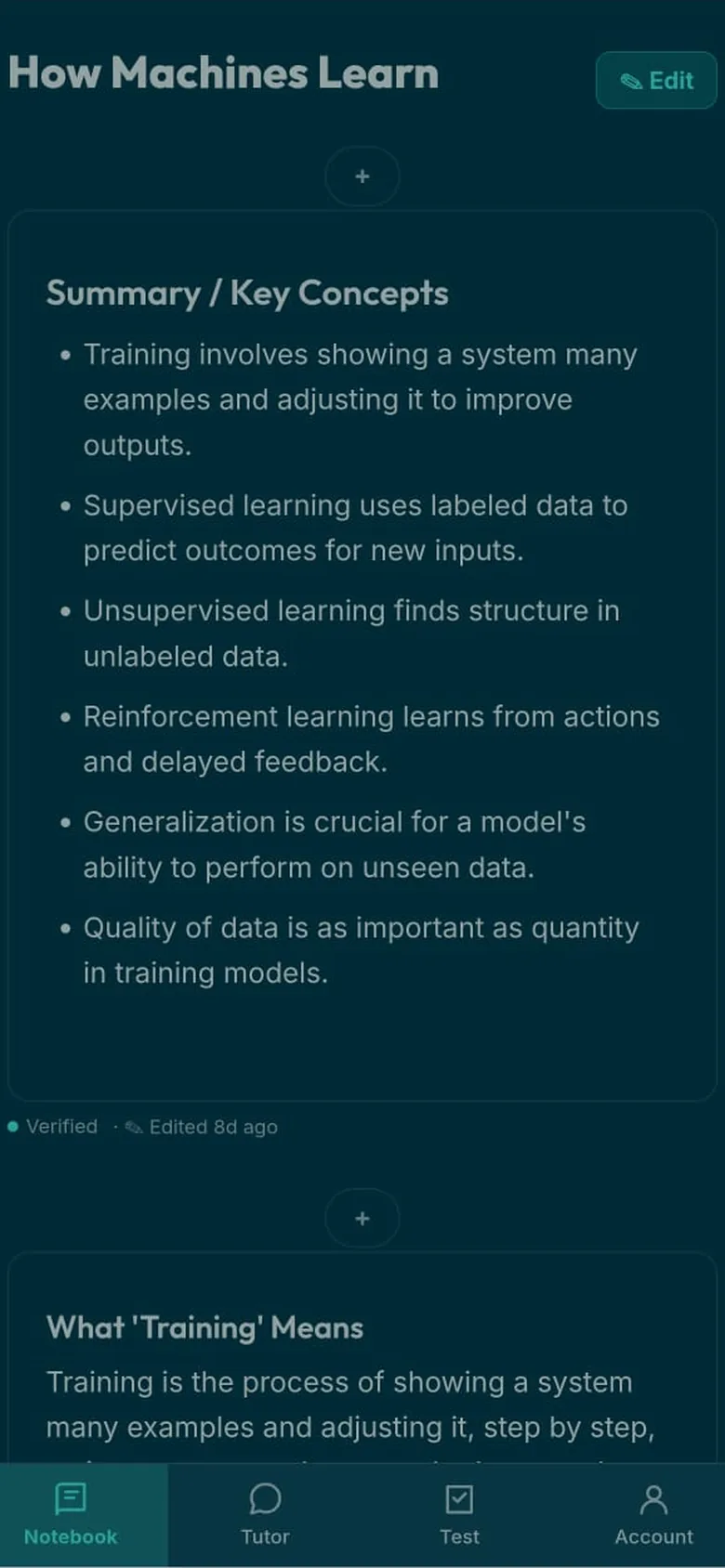
Your Notebook
Every approved note, organised by subject. Definitions, key ideas and your own edits—all in one place that's easy to return to.
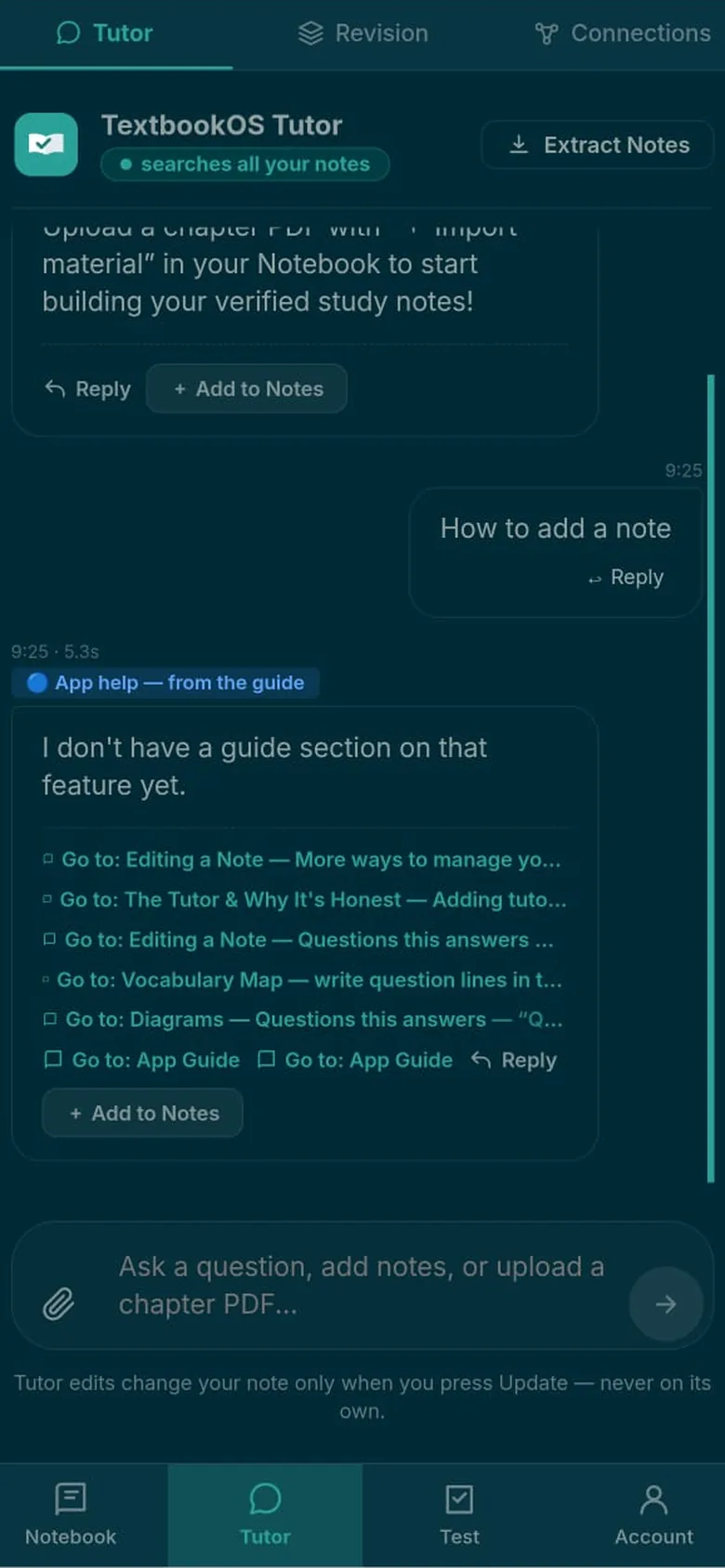
Your Tutor
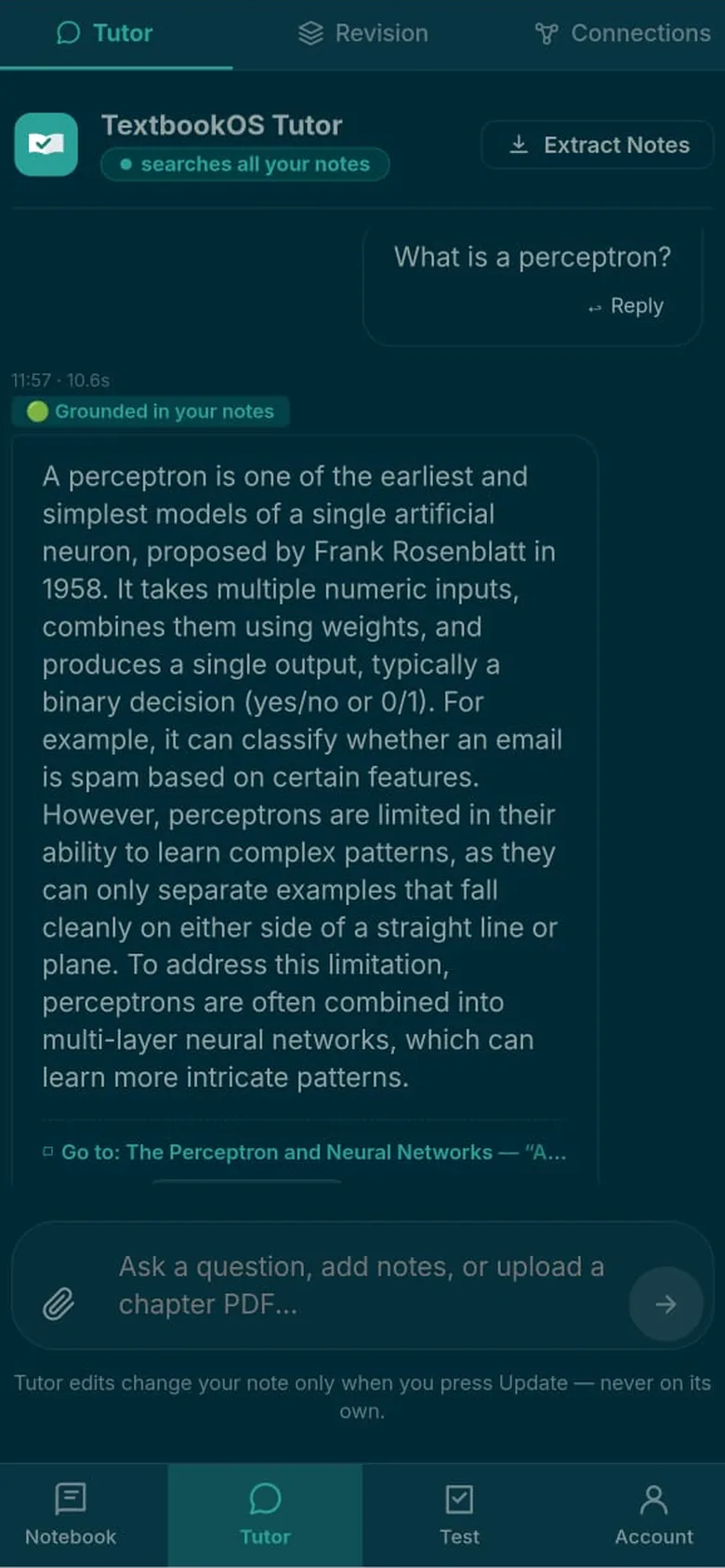
Ask anything that's on your mind. Every answer clearly tells you whether it came from your notes, general knowledge, or app help, so you always know what you're reading.
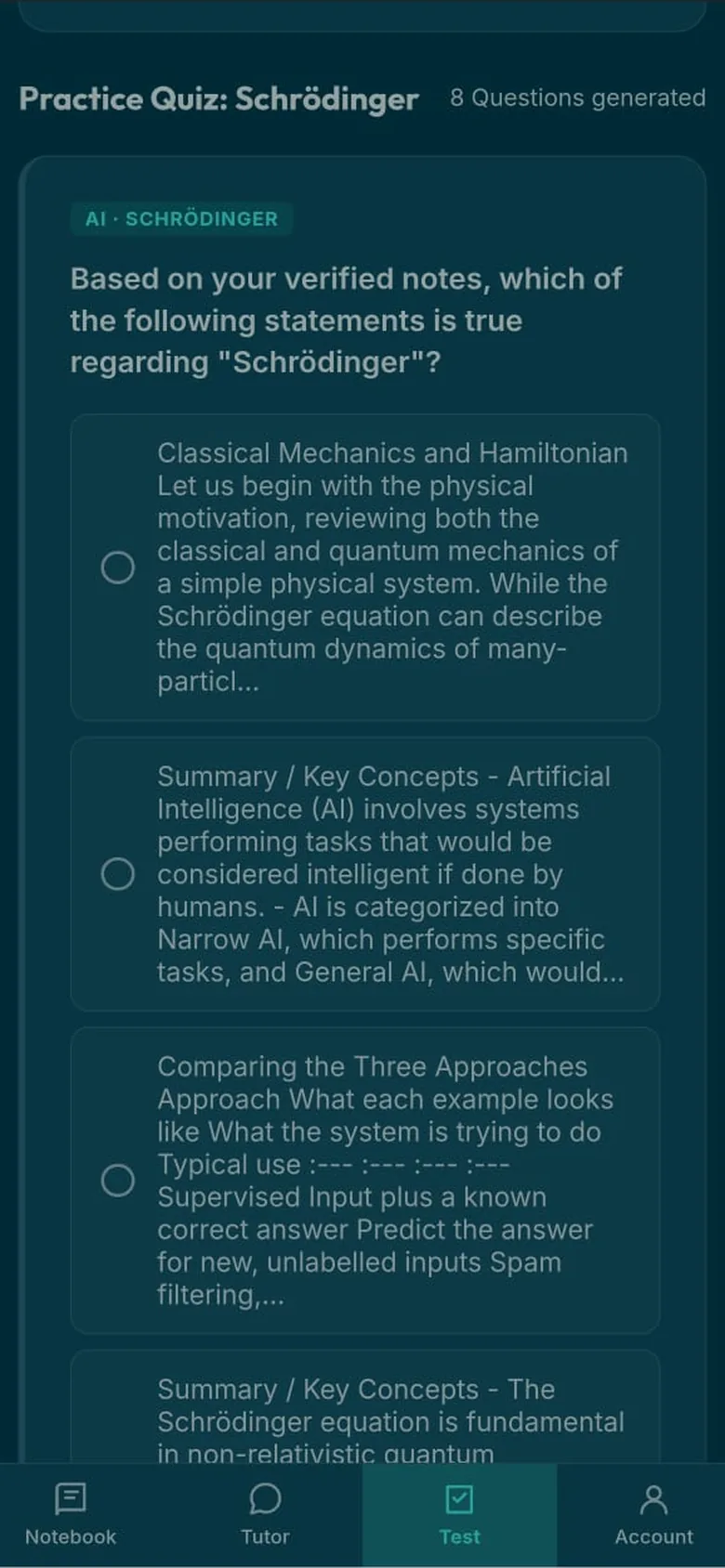
Gentle Self-Checks
See what already feels solid—and what just needs a little more attention.
Short, low-pressure self-checks built only from the notes you've verified. They're there to guide your next study session, not to judge you.
Ask about anything in your notebook, and your tutor answers using your notes while showing exactly which note helped answer your question.
Ask about something you haven't saved, and your tutor can still help — using general knowledge, clearly labeled "not from your notes." It never dresses up a general answer as something your notebook actually confirmed.
Two answers. One promise. It never pretends your notes say something they don't.
A study companion you can lean on.
You shouldn't have to wonder whether your study app is guessing. TextbookOS is built around three simple promises that help you understand what you're seeing—and what you can trust.
It always tells you where an answer came from.
Every tutor reply is clearly labelled as coming from your notes, general knowledge, or app help. When your notebook doesn't cover something, it says so instead of quietly filling in the gaps.
You're always in control of your notebook.
AI can help draft notes, but it never decides what's true. Every draft waits for your approval before becoming part of your notebook, and any changes happen only when you choose them.
Practice stays grounded.
Your self-checks are created only from the notes you've verified, so you're always practising what you've actually chosen to keep.
Your study space goes wherever you do.
Install TextbookOS like an app and keep your notebook with you—even when you're offline.
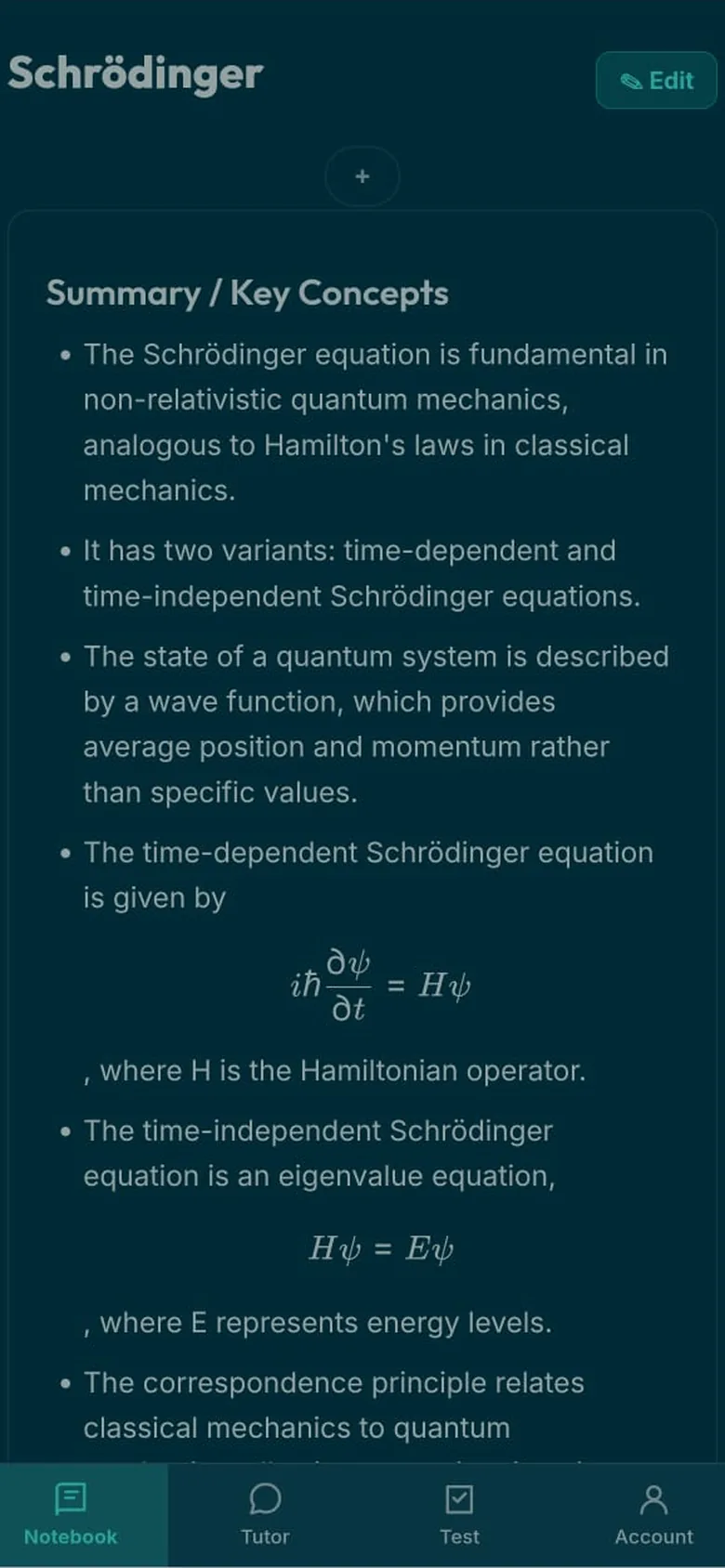
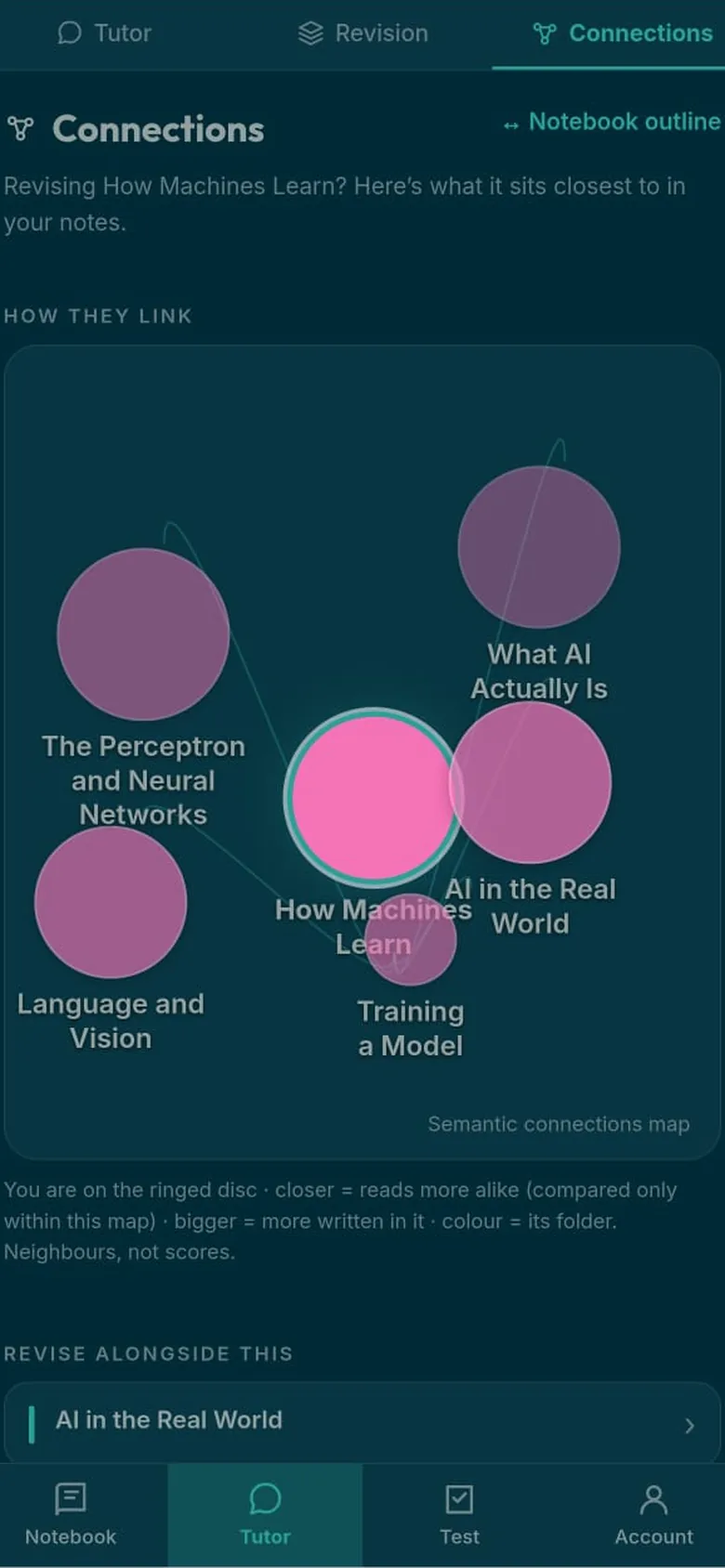
Your concept map helps you see how topics connect, while gently pointing you toward what might be worth reviewing next. Whether you're on the bus, between classes, or waiting outside an exam hall, your study space is ready whenever you are.
Local-first PWA · installs on desktop & Android · notes and concept map work offline.
Start free. Learn at your own pace.
Everything you need to build your notebook, ask your tutor, and check what you know is free today — with generous daily limits, plenty for everyday studying.
- Notebook
- Tutor
- Review Queue
- Concept Map
- Self-Checks — all included
No card needed to start.